Bahrain Company Setup: A Step-by-Step Guide
Bahrain Company Setup: A Step-by-Step Guide to Commercial Registration
What is a Bahrain company setup? To complete a Bahrain company setup, you must select your ISIC4 business activities, obtain preliminary approval (CR without license) via the government's Sijilat portal, secure a municipality-approved commercial address, and deposit your minimum share capital in a local bank.
Completing your Bahrain company setup requires securing a Commercial Registration (CR) and operational licenses through the Ministry of Industry and Commerce (MOIC). Expect a 2 to 4-week timeline for standard commercial activities. Regulated sectors, such as healthcare or engineering consulting, require 3 to 6 additional months for third-party ministry approvals.
Most founders fail because they sign a commercial lease before securing preliminary MOIC approval. This sequencing error results in thousands of Bahraini Dinars wasted on rent while waiting for municipal clearance on a location that might ultimately be rejected for zoning violations. This guide breaks down the exact sequence required by the Sijilat 3.0 system, ensuring you secure approvals in the correct order without triggering automatic rejections.
What You Need Before Starting Your Bahrain Company Setup
Do not initiate an application in Sijilat until you have secured these three prerequisites. Starting without them guarantees your application will time out after 30 days, forcing you to pay the application fees a second time.
Minimum Capital Requirements
Identify your exact capital commitment based on your corporate structure. While the MOIC officially permits a With Limited Liability (WLL) company to form with BD 50 in share capital, local banks operate under different risk frameworks. In practice, institutions like National Bank of Bahrain (NBB) or Bank of Bahrain and Kuwait (BBK) regularly reject corporate account applications for entities capitalized under BD 1,000. If you are forming a Bahrain Shareholding Company (BSC Closed), the mechanism restricts you entirely until you prove a minimum deposit of BD 250,000.
Advanced eKey Registration for Sijilat Portal Access
Register for an Advanced eKey to access the Sijilat portal. A standard eKey, which relies solely on a password, will not grant you the permissions to digitally sign a Memorandum of Association (MoA).
Visit the Information & eGovernment Authority (iGA) in Isa Town or Muharraq in person with your original Passport and CPR (Bahraini ID). The agent will capture your fingerprints and upgrade your account to 'Advanced' status immediately. If you are outside Bahrain, you must grant a notarized Power of Attorney to a registered local clearing agent to bypass this biometric requirement.
Required Legal Documents
Scan your passport, GCC ID (if applicable), and a recent police clearance certificate in PDF format under 2MB per file.
If a foreign corporation will own shares in the new Bahraini entity, you must provide the parent company's Certificate of Incorporation and Board Resolution. Because Bahrain is a signatory to the Hague Convention, these foreign corporate documents must be Apostilled in the country of origin. Submitting un-notarized foreign documents triggers an automatic rejection from the MOIC legal department.

Step 1: Select Your ISIC4 Business Activities and Legal Structure
Your business activities dictate your fees, your required office size, and whether you are legally permitted to own 100% of the company.
Mapping Operations to Sijilat ISIC4 Activity Codes
Search the Sijilat ISIC4 directory and select the exact codes that match your revenue model. Every code you select adds specific regulatory requirements.
If you select "Management Consultancy," you bypass third-party approvals and can proceed to registration immediately. If you add "IT Security Consulting" to the same application, the system automatically routes your file to the Telecommunications Regulatory Authority (TRA), adding three weeks to your timeline. Limit your initial selection to core activities to secure your CR faster; you can add regulated activities later as an amendment.
Choosing Between WLL and BSC (Closed) Structures
Select a With Limited Liability (WLL) structure if you have fewer than 50 shareholders and want to minimize operational overhead. A WLL does not require a formal board of directors or mandatory annual general meetings.
Select a Bahrain Shareholding Company (BSC Closed) only if you are raising institutional capital or planning to issue employee stock options. A BSC (Closed) requires a minimum of three board directors, audited annual financials submitted to the MOIC, and a BD 250,000 capital lockup. You give up operational agility for institutional credibility.
Verifying Eligibility for 100% Foreign Ownership
Review the foreign ownership restrictions on your chosen ISIC4 codes. While Bahrain allows 100% foreign ownership for most technology, manufacturing, and consulting activities, retail trade and commercial agencies strictly require 51% Bahraini ownership. If your desired code requires local ownership, you must secure a Bahraini partner before proceeding to the MoA drafting stage.
Step 2: Obtain Preliminary Approval (CR Without License)
This phase secures your company name and legal structure. Do not commit financial resources to physical assets until you complete this step.
Warning: Once you pay the BD 50 application fee in this step, your proposed names lock. If all three are rejected for trademark conflicts, the fee is non-refundable.
Submitting Three Proposed Company Names for MOIC Review
Type three proposed company names in English and Arabic into the Sijilat Commercial Name fields. Rank them in order of preference.
The MOIC rejects names that include geographic locations (e.g., "Muharraq Consulting"), names that imply regulated activities you aren't licensed for (e.g., "Investment" without Central Bank approval), or direct translations of global trademarks.
Expected Outcome: The system will accept the submission and move to the MoA stage. If the system flags a trademark conflict, modify the name to include a unique identifier before submitting.
Drafting and Uploading the Memorandum of Association (MoA)
Select the "Standard MOIC MoA Template" within the Sijilat portal.
Choosing the standard template allows the system to auto-generate the document based on your previous inputs, entirely bypassing the MOIC legal department's manual review queue. If you upload a custom-drafted MoA from your lawyer, you give up speed; manual reviews currently take 7 to 14 business days.
Expected Outcome: All partners will receive an SMS prompting them to log in via Advanced eKey to digitally sign the generated MoA.
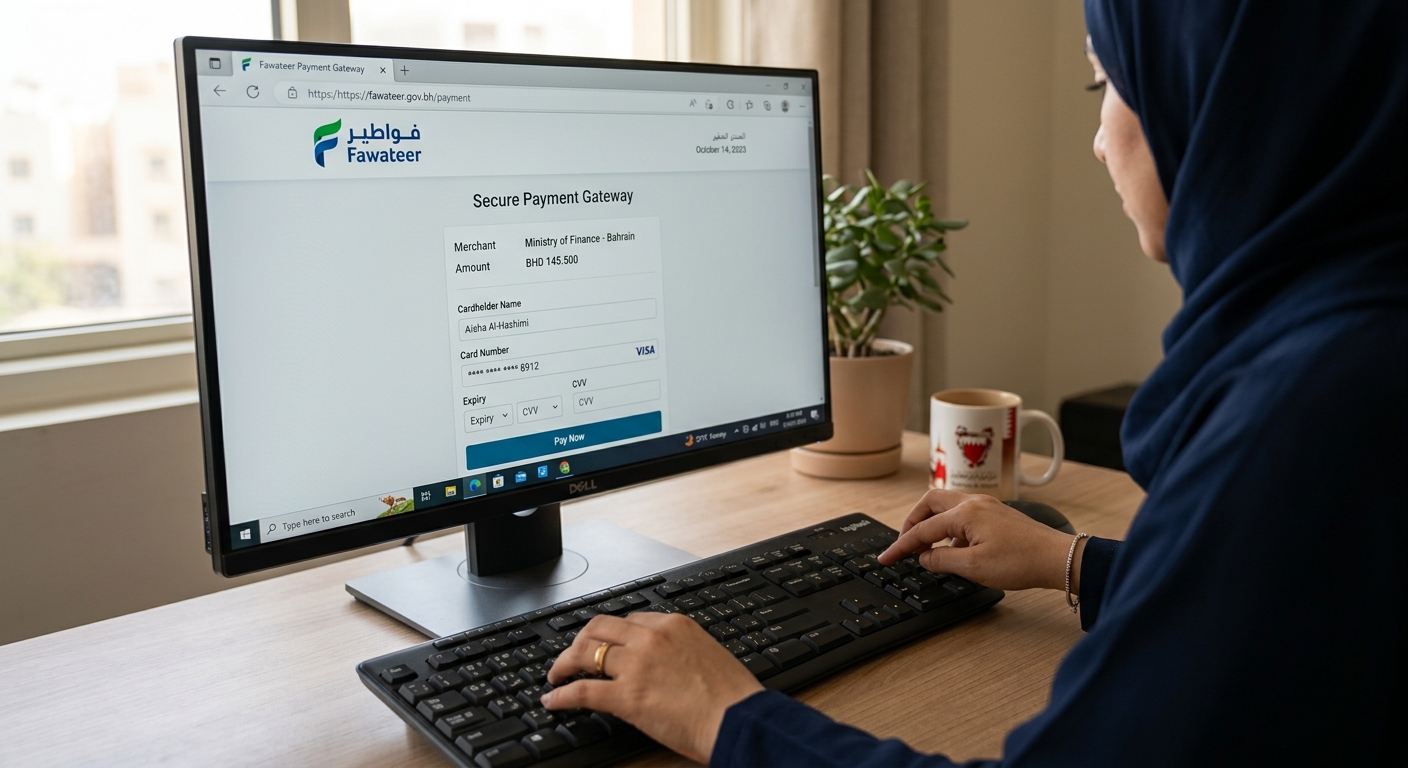
Processing the Initial BD 50 Application Fee via Fawateer
Navigate to the payments tab and process the BD 50 preliminary approval fee using the national Fawateer gateway.
Expected Outcome: Within 24-48 hours, your Sijilat dashboard should display the status "CR Without License." You now have legal recognition to sign a commercial lease, but you cannot legally invoice clients yet.
Step 3: Secure a Commercial Address and Final MOIC Approval
A Bahrain company setup remains incomplete until the entity is tied to a physical, municipality-approved location.
Navigating Municipal Requirements for Office Spaces vs. Approved Incubators
Choose between leasing a physical office or registering with a MOIC-approved incubator (e.g., Bahrain FinTech Bay, Brinc, or The Collective Hub).
If you lease a physical office, you must secure a minimum of 8 square meters per planned employee visa. Physical offices require a municipal inspection, which delays approval by 10 to 14 days. If you choose an incubator, you pay BD 100 to BD 150 monthly, but you bypass municipal inspections entirely because incubators hold pre-approved zoning status. However, incubators restrict your Labour Market Regulatory Authority (LMRA) visa quota to a maximum of two expatriate employees.
Registering the Lease Agreement with the Municipality and EWA
Upload your signed lease agreement and the landlord's title deed to the Sijilat address portal.
The system routes this to the local municipality and the Electricity and Water Authority (EWA). If the previous tenant did not clear their EWA arrears, your application will be rejected. Always mandate that the landlord provides a "Final EWA Bill" showing a zero balance before signing the lease.
Expected Outcome: The address tab in Sijilat will turn green, indicating municipal and EWA clearance.
Paying Final Registration and Sector-Specific Licensing Fees
Click "Generate Final Invoice" in Sijilat. Pay the final registration fee, which typically ranges from BD 100 to BD 1,000 depending on your specific ISIC4 codes and municipality fees.
Expected Outcome: Your CR status will change from "Without License" to "Active."
Step 4: Open a Corporate Bank Account and Deposit Capital
You must deposit your declared capital to fully activate the financial standing of the company.
Preparing Board Resolutions for Local Banks
Draft a board resolution authorizing the opening of a corporate account and designating authorized signatories.
Local banks (NBB, BBK, Ila Bank Corporate) require this resolution to be printed on company letterhead, physically signed by all shareholders, and stamped with the official company seal. Do not apply without the physical seal; banks will reject the application at the teller counter.
Depositing the Authorized Capital Based on the MoA
Transfer the exact capital amount stated in your MoA into the newly opened account.
If your MoA states BD 5,000, depositing BD 4,990 will cause the bank to withhold the capital certificate. The deposit must originate from the personal accounts of the founders in the exact proportions outlined in the MoA.
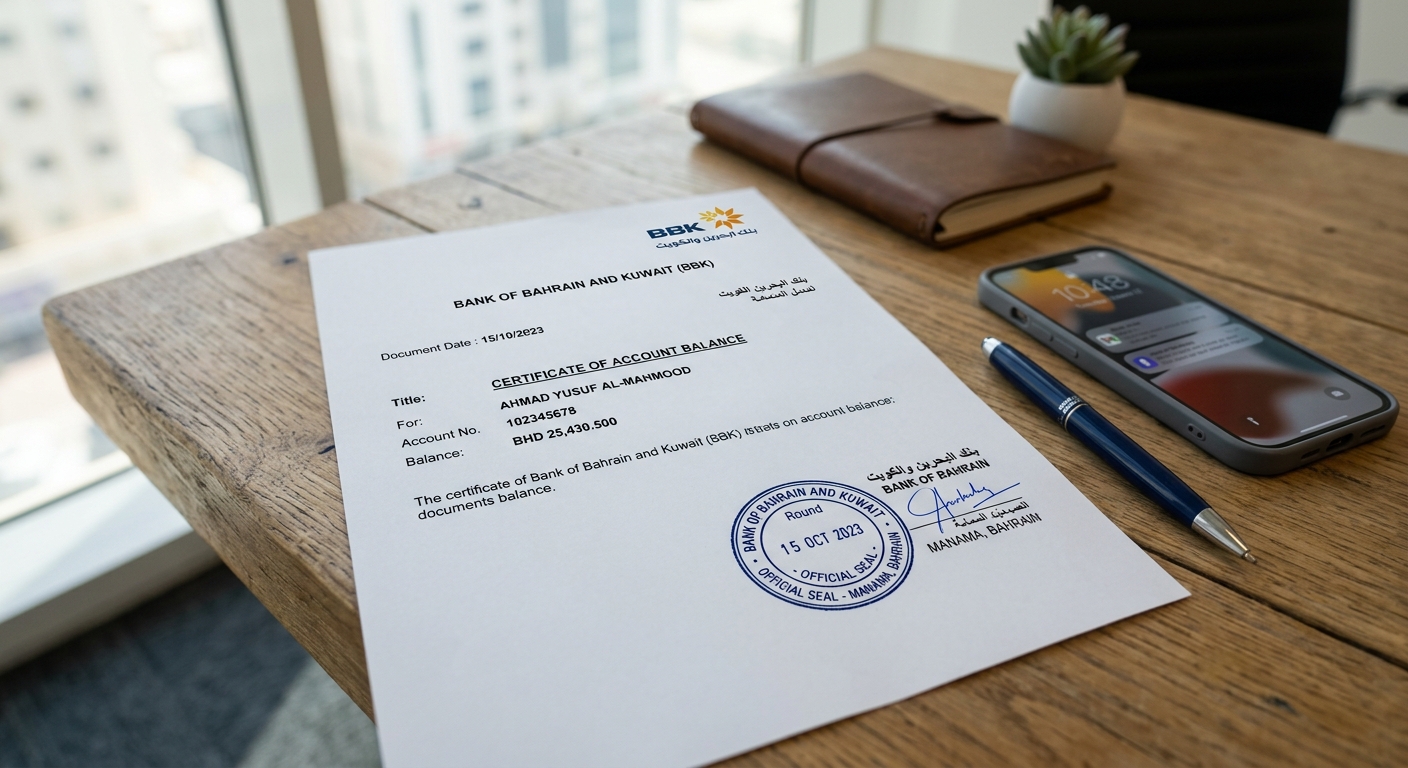
Expected Outcome: The bank will issue a stamped "Capital Deposit Certificate."
Uploading the Bank Capital Deposit Certificate to Sijilat
Scan and upload the Capital Deposit Certificate to the compliance section of your Sijilat dashboard.
If you fail to complete this step within 6 months of obtaining your Active CR, the MOIC will suspend your commercial registration, freezing your ability to import goods, renew visas, or bid on government tenders.
Expected Outcome: The compliance warning on your Sijilat dashboard will disappear.
Common Mistakes That Cause Application Rejection
Understanding failure modes prevents your application from languishing in administrative purgatory.
Selecting Conflicting ISIC4 Codes Requiring Multiple Ministry Approvals
A common surprise is the cascading delay caused by mixing unrelated activities. If an investor registers a company for "Management Consulting" (fast) but adds "Import of Medical Devices" (slow) to the same CR, the entire application freezes until the National Health Regulatory Authority (NHRA) approves the medical component. Separate heavily regulated activities into standalone commercial registrations.
Bypassing LMRA Visa Quota Calculations During the Planning Phase
Founders frequently lease cheap 12-square-meter offices with the assumption they can hire a team of five software developers. The LMRA strictly enforces the 8-square-meter per visa rule. When the founder applies for the third visa, the LMRA rejects it for insufficient commercial space. Calculate your 24-month headcount requirement before signing a 12-month commercial lease.
Submitting Non-Notarized Foreign Corporate Documents
Foreign investors often assume a scanned PDF of their UK or US company registration is sufficient. Sijilat reviewers will immediately reject these. Every foreign corporate document must be translated into Arabic by a sworn translator and bear an Apostille stamp from the origin country. This process takes weeks; initiate it before you log into Sijilat.
How to Know It Worked: Verifying Active Status
Do not sign client contracts until you verify these three indicators of legal operational status.
Checking the 'Active' Status and Expiry Date on Sijilat.bh
Log into Sijilat and check the main dashboard. You should see a green "Active" badge next to your CR number. If it says "Active (Without License)" or "Suspended," you are not legally permitted to trade. Verify that the expiry date is exactly one year from your final fee payment date.
Extracting Your Official CR Certificate and Commercial Extract
Click the "Print Documents" tab and download both the CR Certificate and the Commercial Extract. The Extract is the critical document; it lists authorized signatories, capital, and approved activities. Local vendors and telecom providers will demand this specific document to set up corporate accounts.
Confirming Establishment Registration in the LMRA Expat Management System
Navigate to the LMRA Expat Management System (EMS). You should be able to log in using your Advanced eKey and see your new company listed under your CPR. If the company does not appear, your Sijilat integration failed, and you cannot apply for investor or employee visas until you submit an IT support ticket with the LMRA.
Conclusion
Securing your Bahrain company setup requires four distinct phases: selecting accurate ISIC4 codes, obtaining preliminary approval, securing compliant commercial premises, and finalizing your capital deposit. If your application stalls in Sijilat for more than 14 days, check the portal's dashboard for specific ministry comments and upload the requested amendments immediately.
Once your CR is active and your capital is deposited, your immediate next step is registering with the Labour Market Regulatory Authority (LMRA) to process your investor residency permit and begin issuing employee visas. Maintain your physical company seal and your Commercial Extract, as you will need both for every vendor, bank, and government interaction moving forward.